Popular


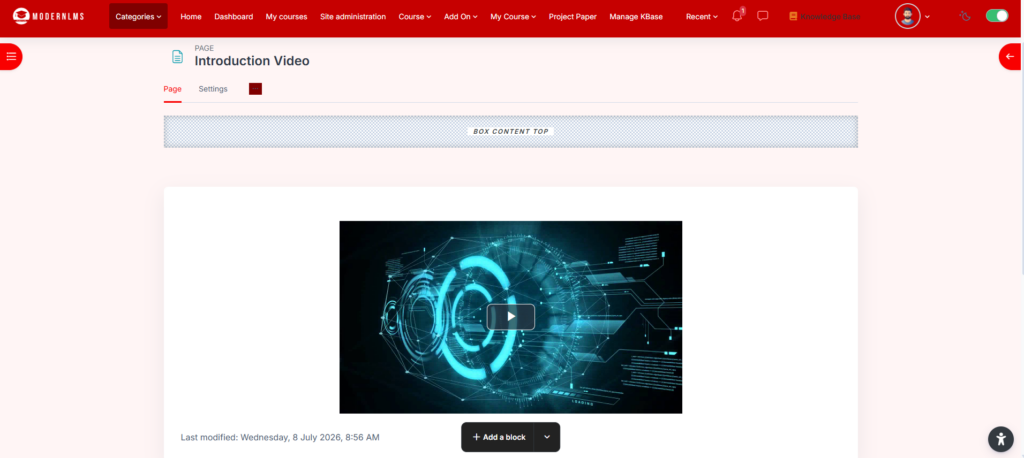
The Page activity in the LMS allows instructors to create and display static content within a course. It is an effective tool for presenting text, images, embedded media, and links in an organized manner.
Key Features:
- Rich Content Display: Supports text, images, videos, and links to enhance learning materials.
- Custom Formatting: Allows the use of HTML and multimedia elements for engaging content.
- Seamless Navigation: Integrates within the course structure for easy access by learners.
- Resource Consolidation: Reduces clutter by embedding multiple resources in a single location.
- Mobile-Friendly Design: Ensures compatibility with various devices for improved accessibility.
Customization Options:
- Instructors can personalize the page layout with headings, fonts, and embedded media.
- Pages can be restricted based on conditions like user roles and course progress.
- Plugins can extend functionality, such as adding interactive elements or tracking engagement.
The ModernLMS Page activity is a versatile tool for delivering content effectively, enhancing the learning experience with structured and engaging materials.
Steps
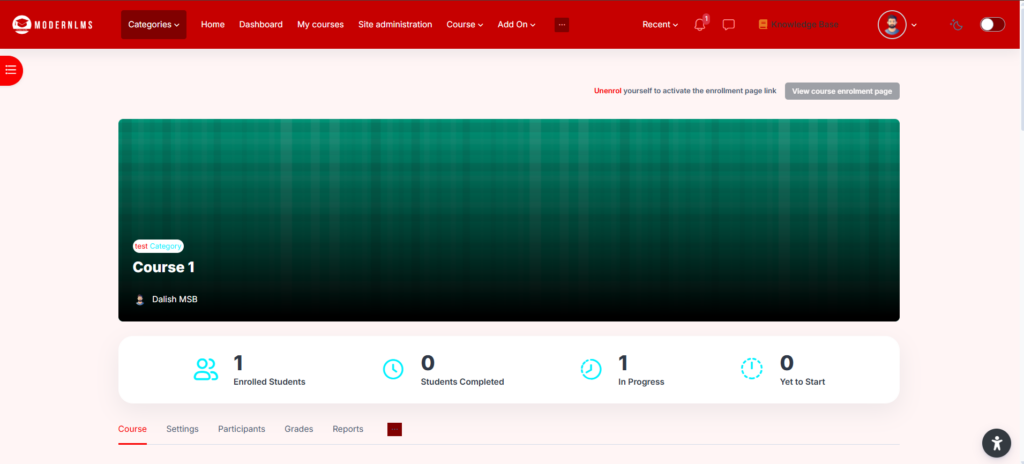
- Go to the course where you want to add the video.
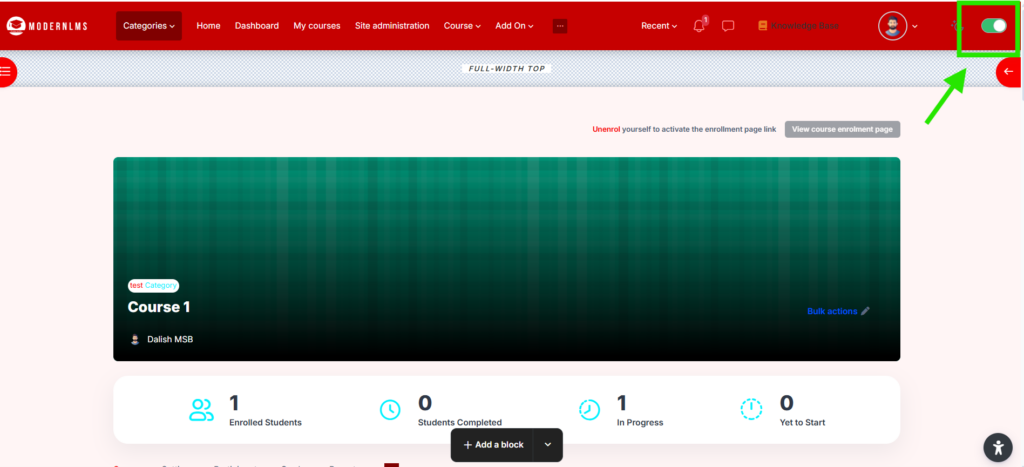
- Turn on editing:
- Click Edit mode / Turn editing on.
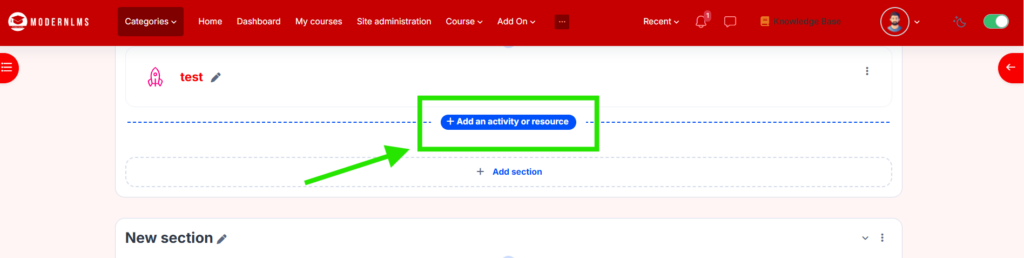
- Go to the section where you want to add the video.
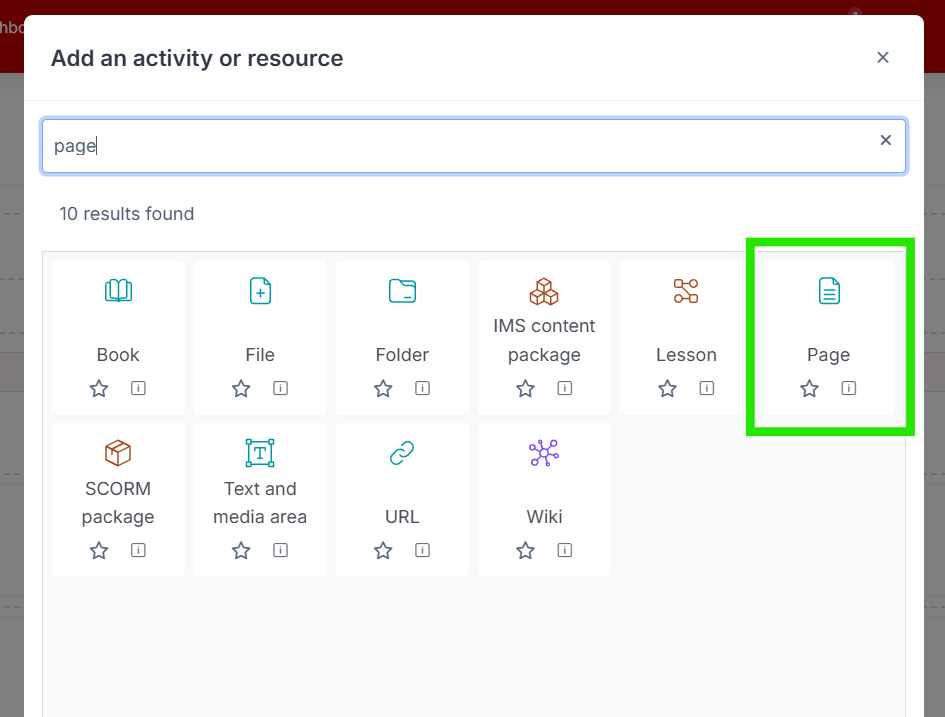
- Click Add an activity or resource.
- Select Page.
- Click Add.
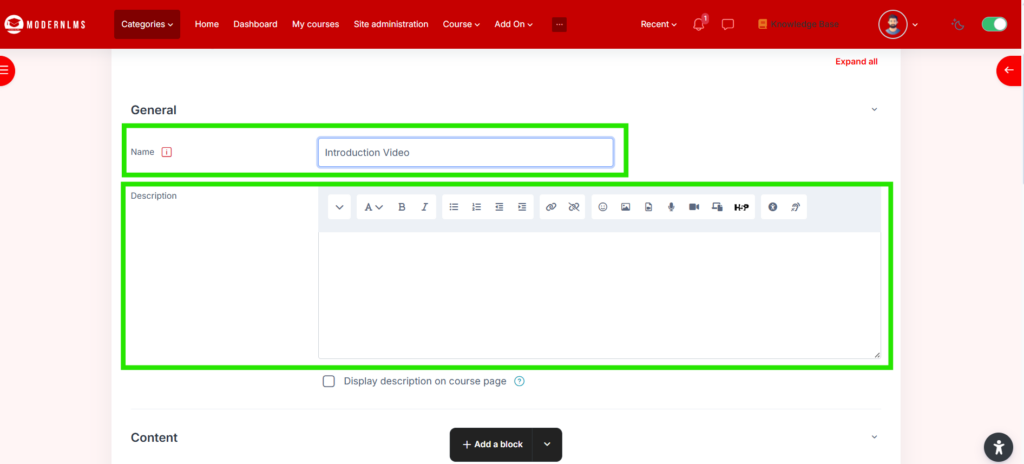
- Fill in the details:
- Name: Enter the activity name, for example:
- Description: Optional, you can add a short instruction.
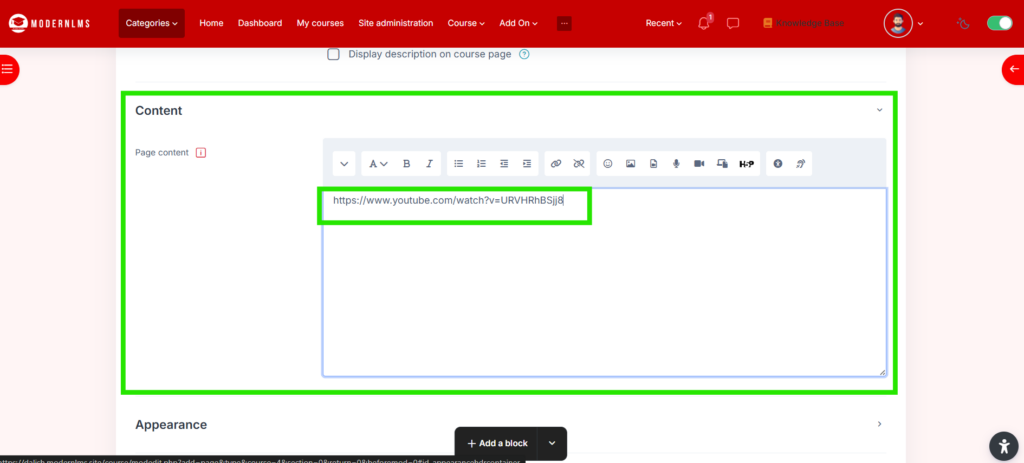
- Under Page content, add your YouTube video.
Add YouTube link directly
- Copy the YouTube video link.
- Paste the link inside the Page content box.
Example: https://www.youtube.com/watch?v=VIDEO_ID
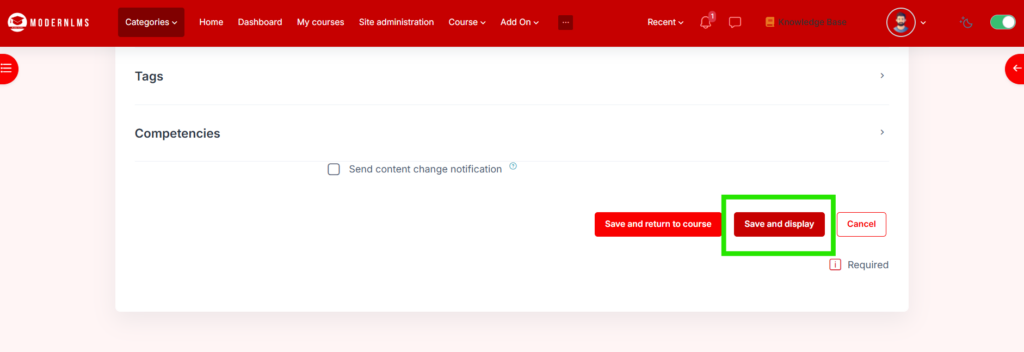
- Click on “Save and display”
- LMS may automatically convert it into an embedded video if the multimedia filter is enabled.