

Popular


Site-Level Live Logs
- Log in as a Site Administrator.
- Navigate to:
Site administration → Reports → Live logs
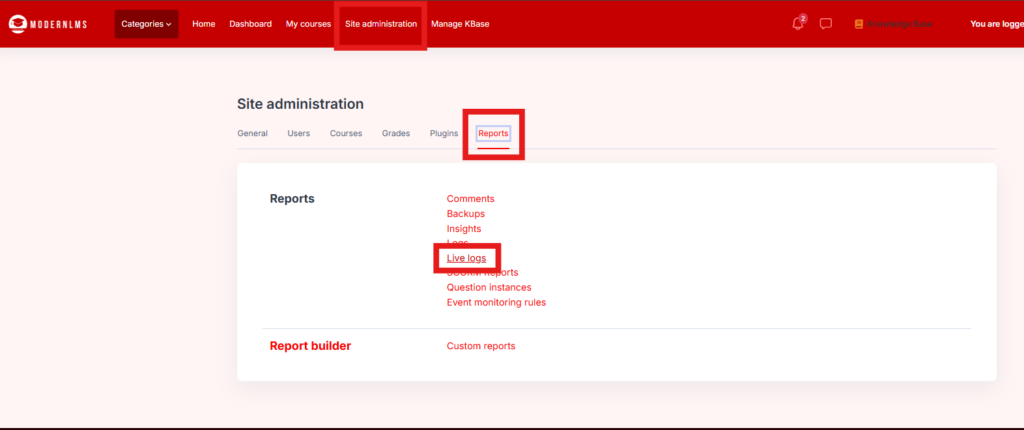
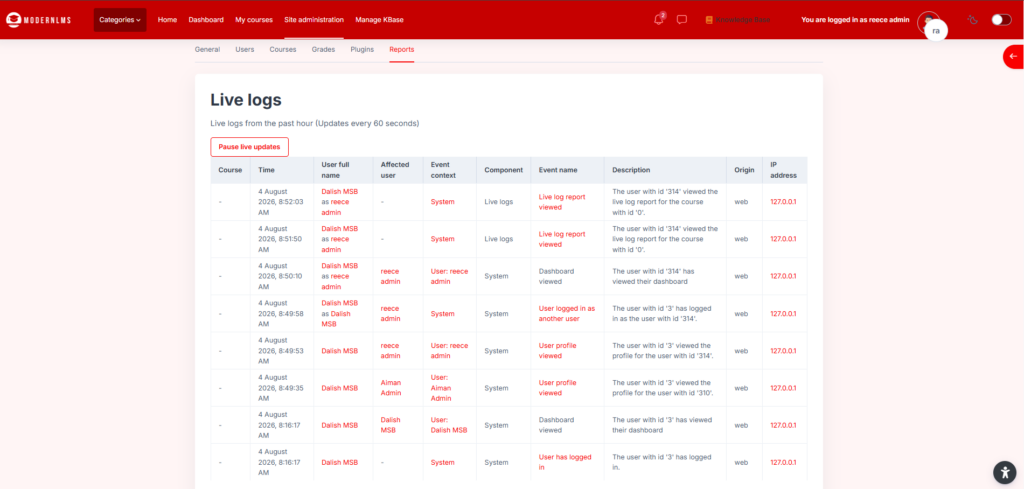
- The page displays activities performed across the LMS during the past hour.
- Use the displayed information to review:
- Date and time
- User name
- Affected course or page
- Event or action performed
- IP address
- Click the user name or event link to view more details.
___________________________________________________________________________________________
To Search Older or Specific Logs
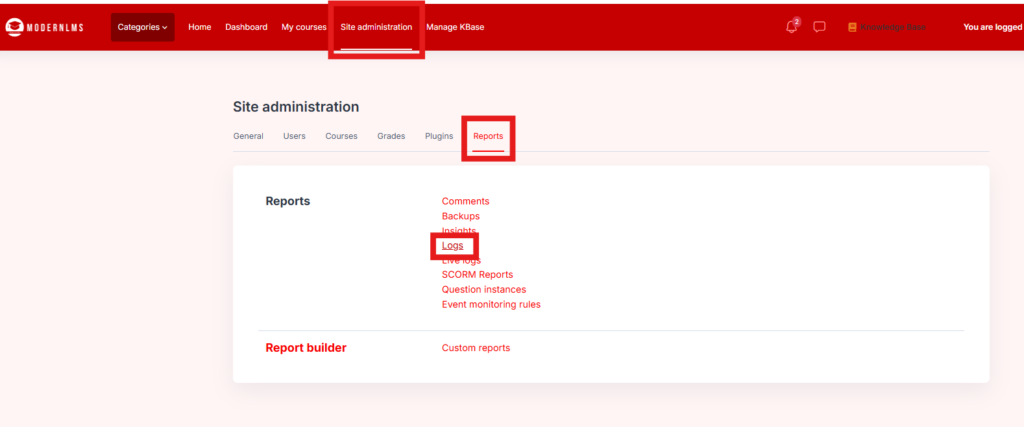
Live Logs only show recent activity. For detailed searching:
- Navigate to Site administration → Reports → Logs.
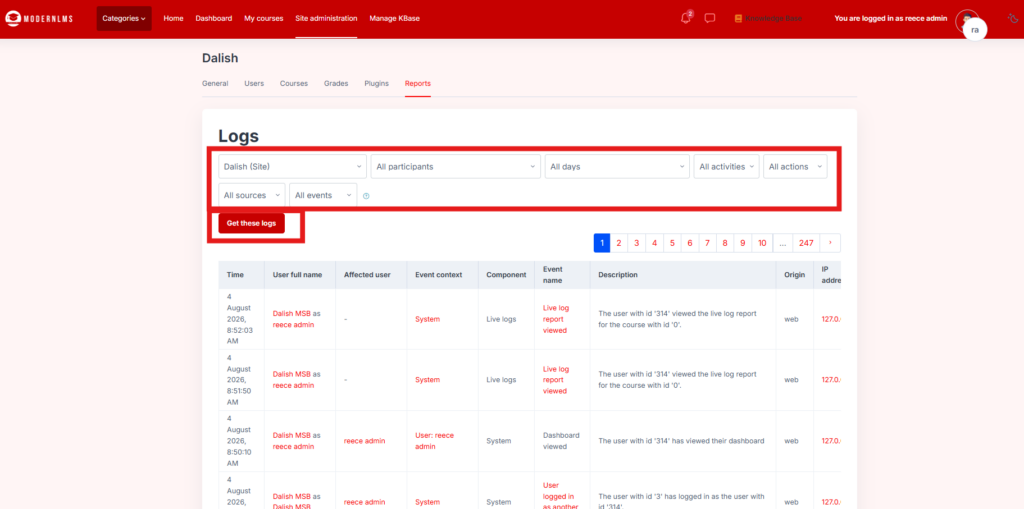
- Select the required filters:
- Course
- User
- Date
- Activity
- Action
- Event level
- Click Get these logs to display the results
- Scroll down and Click Download to download the report results
